Scorbit Hardware Installation Guide
Scorbit provides hardware to connect various types of games from different eras to the Scorbit platform. Once connected, the Scorbit platform unlocks new features for your games, such as live scores, leaderboarding, achievements, competitions, and more.
Extracting data from a machine that was invented before the commercial Internet existed took years of research from a team of dedicated professionals, as well as countless hours of training software to learn to interpret the data. Now connecting your machines could not be easier!
Scorbit hardware comes in several different bundles contained one, several or all of the following components:
Scorbitron
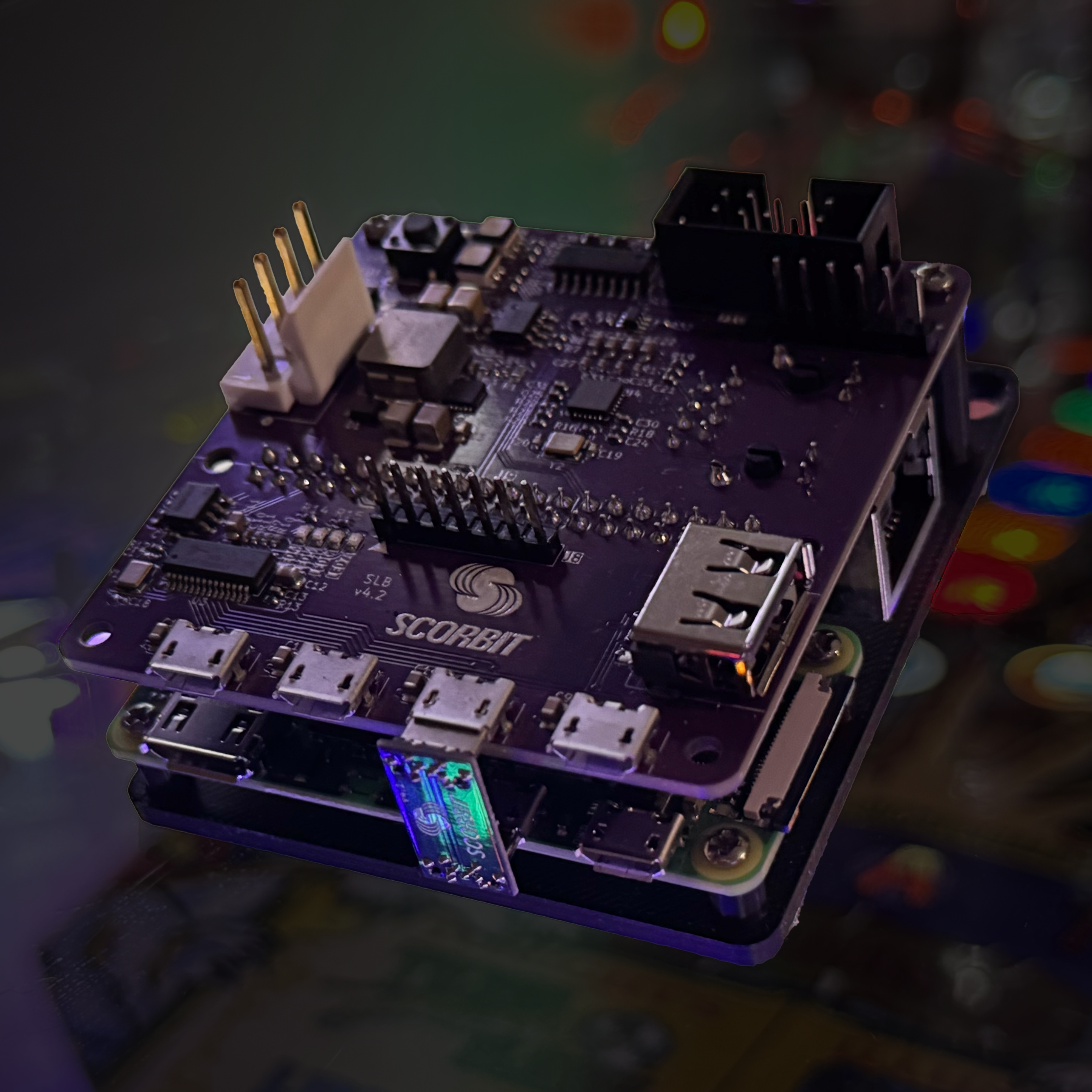
The Scorbitron is the brains of the whole operation. Machines that were manufactured before the Internet and WiFi were available require the Scorbitron to bridge the old technology into the new technology. The Scorbitron leverages the advantages and miniaturization of modern technology to pack a lot of power into a small footprint. Each Scorbitron is it's own WiFi device, connecting to your local network with the help of the Scorbit mobile app. It has several ports designed for different data sources and power, and is lightweight enough to be mounted or even strapped to an existing cable harness. The Scorbitron gets its power from the game's 12V (or similar) power source, and draws so little power to not be a burden on finicky old machines.
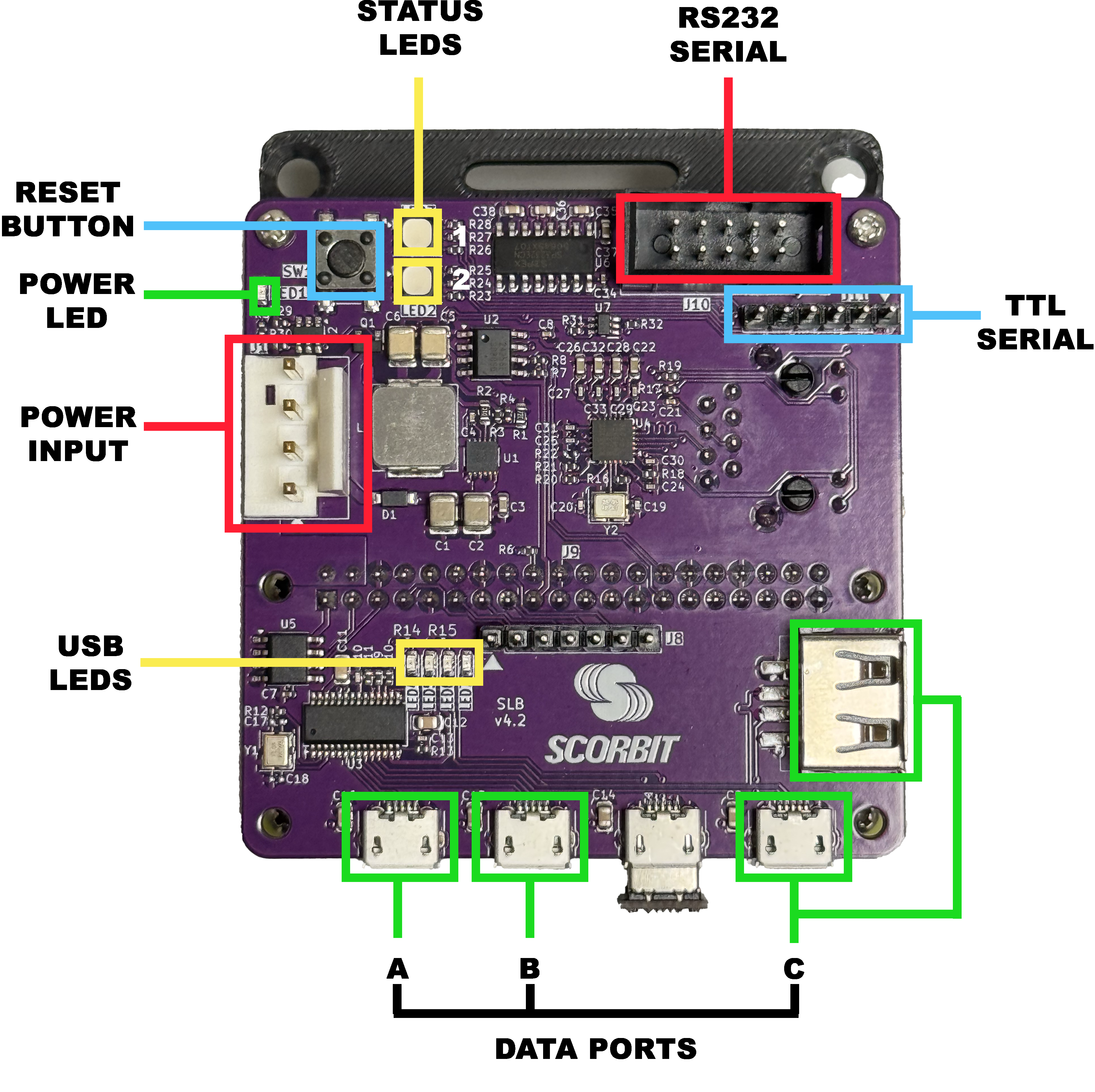
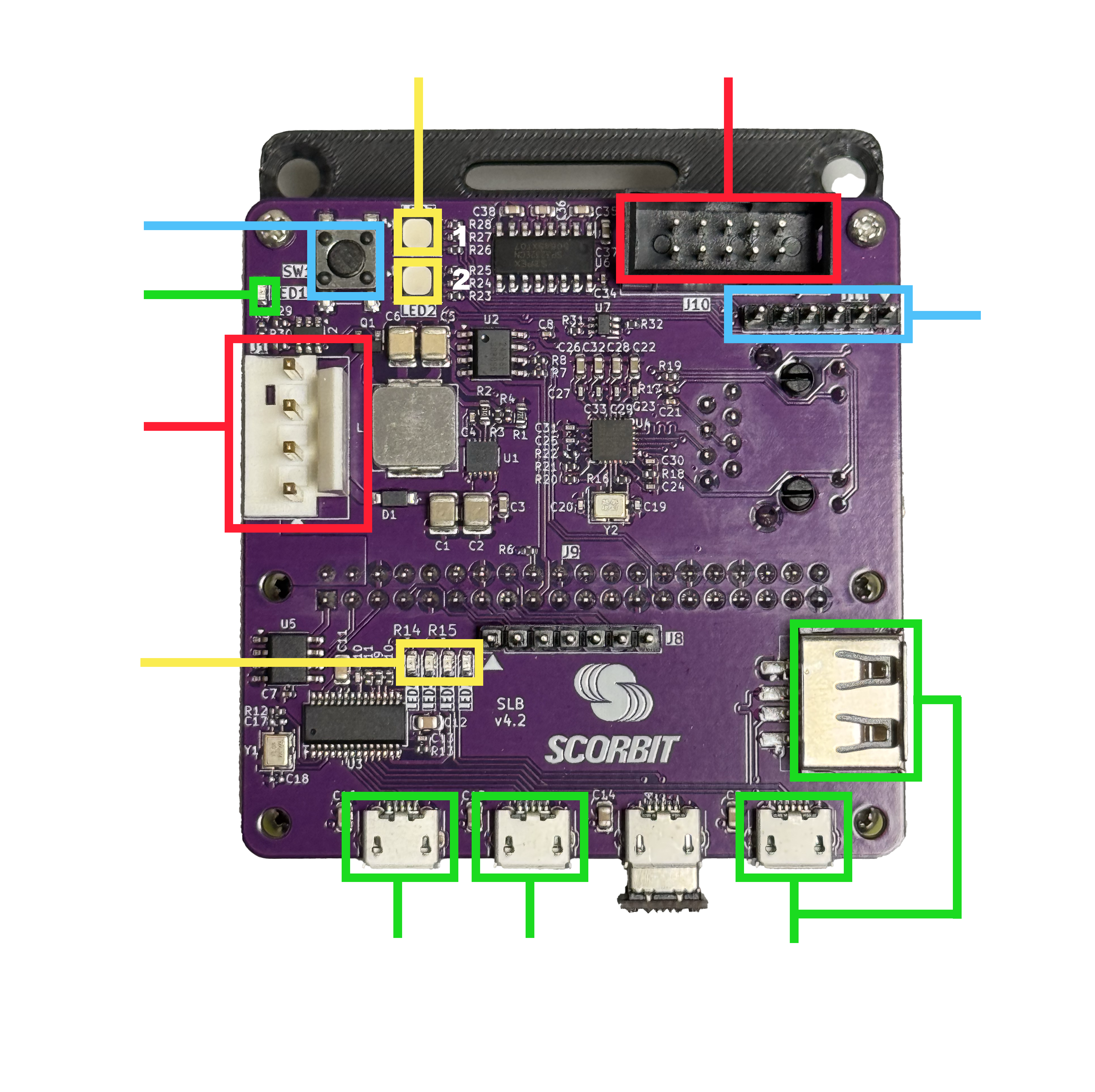
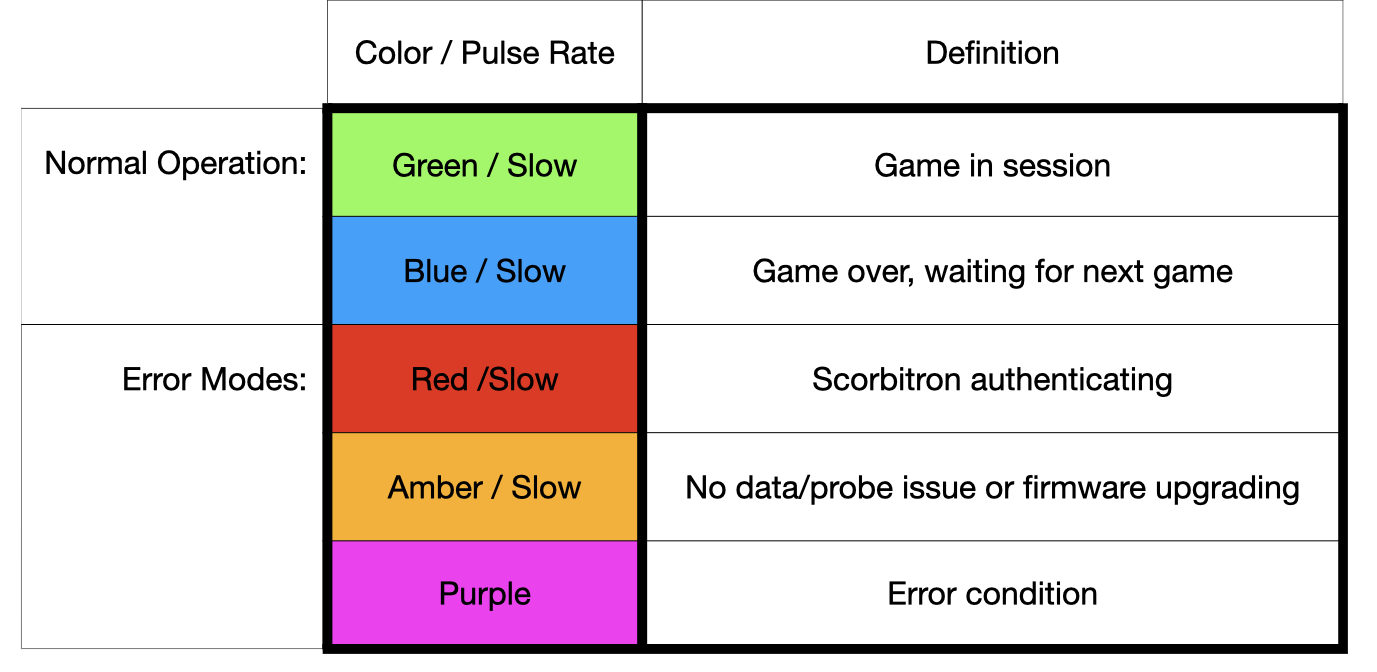
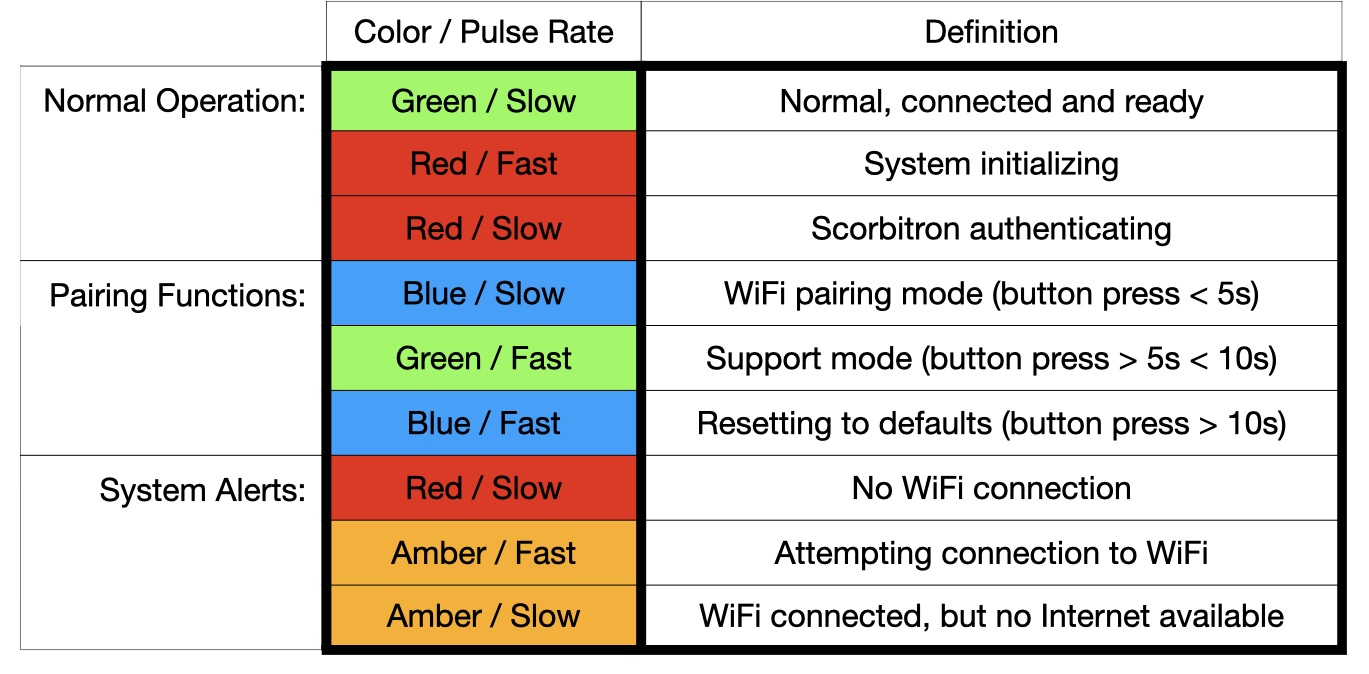
The Scorbitron serves many purposes, but it's primary one is acting as a network connection for games that predate when modern operating systems and network technology was available. It also processes and translates game data into useable information. It acts as a security device and a central connection point for all the Scorbit probes, all which connect via USB. The status LEDs on the Scorbitron also give you an idea of what the device is currently experiencing. You can find the status LEDs on the upper left section of the Scorbitron, next to the pairing button:
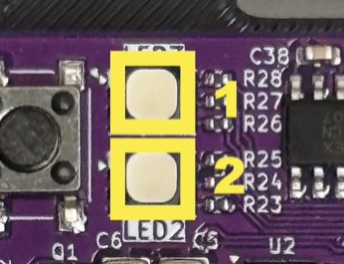
Use the following tables to help translate what the combinations of LED colors are reporting, and become familiar in case you ever need to contact support. In most normal operation, a slow, blue pulse on LED 1 indicates the game is in attract mode, and it changes to green if a game is in session. A slow, green pulse on LED 2 indicates that the Scorbitron is successfully connected to WiFi, or red if it is disconnected.
Note that not all machines require a Scorbitron. Machines manufactured more recently often run modern operating systems and many already have Scorbit installed and integrated. Please contact the manufacturer for details if you believe you have one of these machines.
Scorbit CPU Probe
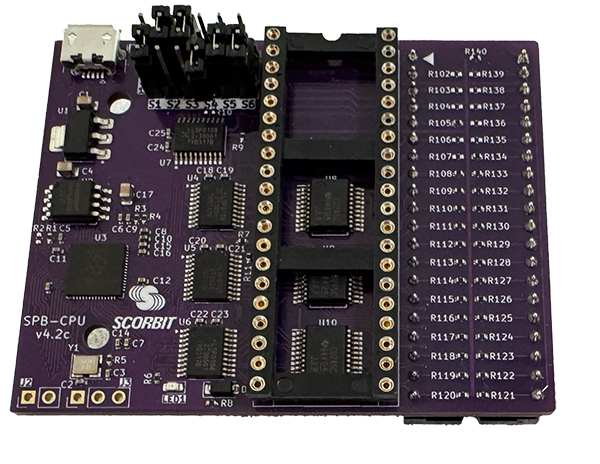
The CPU Probe is a device designed to sit between your machine's CPU and the Scorbit equipment, and is capable of monitoring all data passing through it on it's way to the machine's memory. It does so both passively and actively, and can write data or trigger events. It is designed to not interfere in any way with the original functions of the machine. Best of all, the same CPU Probe can work on machines from 1977 to today, essentially any machine that uses a 6800, 6802, 6808, 6809 or 6502 processor! The CPU Probe connects to the Scorbitron using a standard micro USB cable.
Scorbit DMD Probe
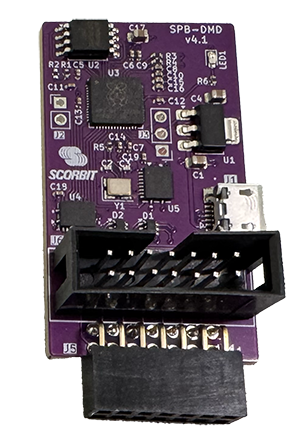
The DMD Probe is an active probe that sits between the display board and the machine's dot matrix display. It's designed specifically for games during the DMD era of games, roughly 1990 to 2015. It not only reads all display information from the machine, it can also present new images and data on the screen when needed by the Scorbit platform. It is compatible with all DMD types, regardless of manufacturer and different encodings, and is compatible with after-market DMD devices like ColorDMD, Pin2DMD, and others. The DMD Probe connects to the Scorbitron using a standard micro USB cable.
Scorbit Tap Pad
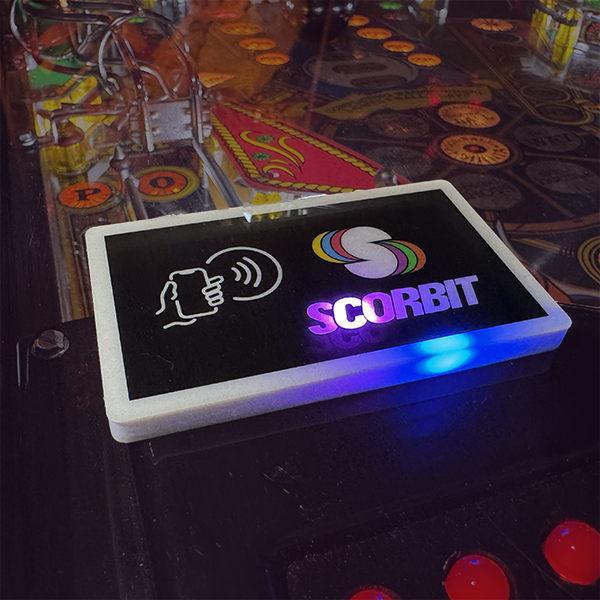
The final device in the system is the Scorbit Tap Pad, a small device used to communicate with the Scorbit mobile app using NFC (Near Field Communication). It has animated, RGB LEDs to present different states that the game code or Scorbitron and control. It can be dimmed during game play to avoid distractions, and is installed under the playfield glass or using alternative mounting methods. It connects to the Scorbitron using a standard micro USB cable, or can be connected directly to modern machines with Scorbit support.
Accessories
When you purchase a Scorbitron, Scorbit Tap Pad, or Probe, all necessary cables, connectors, and power adapters are included with your purchase. You may need a compatible USB key if your machine uses USB to update its software.
Ready to Get Started?
Follow our step-by-step installation guide, customized for your specific machine type:
Info
Note: This equipment has been tested and found to comply with the limits for a Class B digital device, pursuant to part 15 of the FCC Rules. These limits are designed to provide reasonable protection against harmful interference in a residential installation. This equipment generates, uses and can radiate radio frequency energy and, if not installed and used in accordance with the instructions, may cause harmful interference to radio communications. However, there is no guarantee that interference will not occur in a particular installation. If this equipment does cause harmful interference to radio or television reception, which can be determined by turning the equipment off and on, the user is encouraged to try to correct the interference by one or more of the following measures:
- Reorient or relocate the receiving antenna.
- Increase the separation between the equipment and receiver.
- Connect the equipment into an outlet on a circuit different from that to which the receiver is connected.
- Consult the dealer or an experienced radio/TV technician for help.
Input Power: 12V DC TO 24V DC, 2.0A MAX / 120mA IDLE
Operating Temperature: +5°C - 35°C
Contains FCC ID: 2ABCB – RP1Z2, IC: 20953 – RP1Z2, CMIT ID: 2021DJ1116596