Scorbit App
The Scorbit app connects you to Scorbit-enabled pinball machines, whether through a Scorbitron or built into the game. Find a machine near you, Tap In to play, and your score is saved automatically. You can follow friends, earn achievements, and compete in matches and tournaments for cash.

.png)
What do you want to do?
| I want to… | Go to |
|---|---|
| Create an account and sign in | Get Started |
| Find pinball near me | Find a Machine |
| Play a game and save my score | Play a Game |
| Log a score on a machine without Scorbit | Record a Score |
| Play for cash in a match or tournament | Compete in Matches and Tournaments |
| Add funds or cash out winnings | Your Wallet |
| See the achievements I've earned | Achievements |
| Follow friends and see what they play | Profile and Community |
| Change notifications, 2FA, or delete my account | Settings and Your Account |
| Set up a Scorbitron on my machine | For Machine Owners |
| Fix a problem | Troubleshooting |
Getting around
The app has five tabs along the bottom:
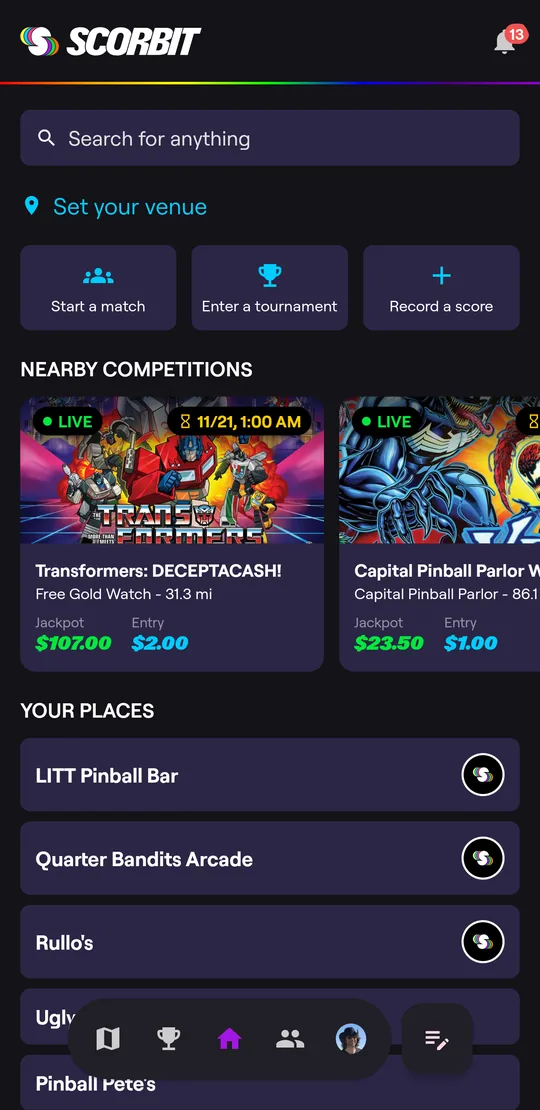
- Map: pinball venues near you.
- Compete: matches and tournaments.
- Home: what's happening near you, your places, and search. The app opens here.
- Community: recent scores from players you follow.
- Profile: your scores, achievements, competitions, and favorite venues.
The button to the right of the tabs changes with where you are. At a venue with a Scorbit Tap Pad it reads Tap to Play; otherwise it's Record a score.
The bell at the top of each tab opens your notifications. Once you're signed in, your Scorbit Wallet balance appears next to it on Home, Compete, Community, and Profile.