Settings and Your Account
Open Profile and tap the gear icon.
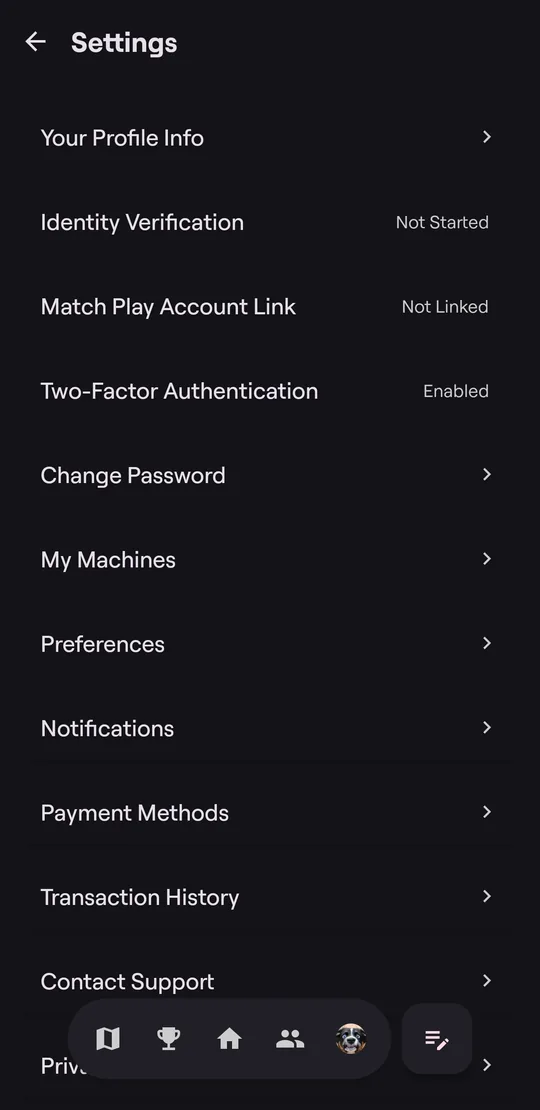
| Setting | What it does |
|---|---|
| Your Profile Info | Change your photo, display name, name, initials, and birthday |
| Identity Verification | Verify your identity, needed to compete and to withdraw winnings |
| Match Play Account Link | Link your Match Play account to show your rating |
| Two-Factor Authentication | Require a texted code when you sign in |
| Change Password | |
| My Machines | Machines you own. See For Machine Owners |
| Preferences | Keep Screen Awake while a game is on screen |
| Notifications | Choose what you're notified about (below) |
| Payment Methods | Cards and bank accounts. See Your Wallet |
| Transaction History | Deposits, entries, payouts, and refunds |
| Contact Support | Email support@scorbit.io |
At the bottom are Privacy Policy, Terms of Service, the App Version, Delete Account, and Sign Out.
Notifications
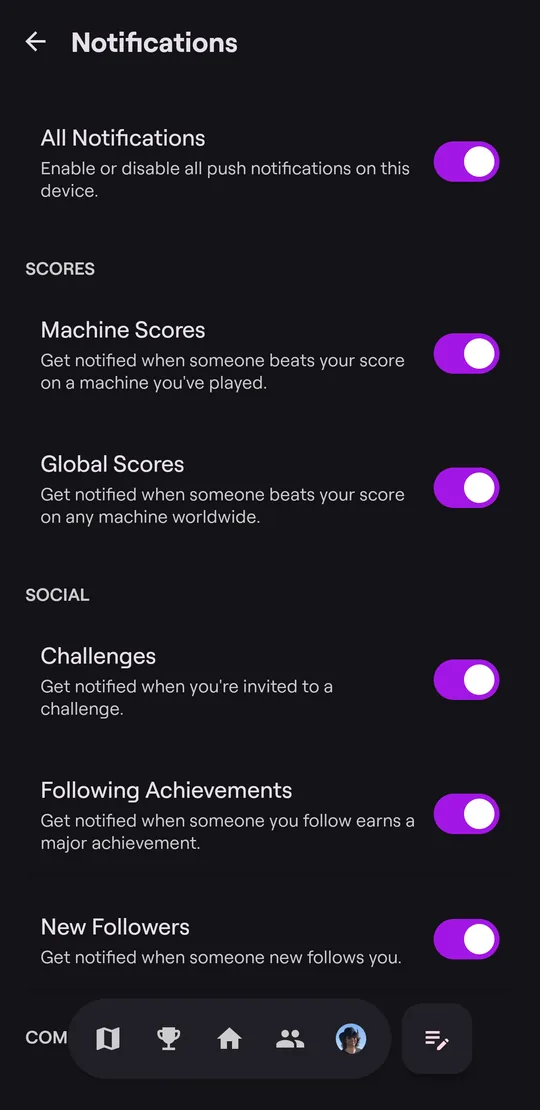
Turn notifications on or off all at once, or one kind at a time:
- Scores: someone beats your score on a machine you've played, or anywhere.
- Social: match invitations, new followers, and achievements earned by people you follow.
- Competitions: updates about your matches and tournaments.
All Notifications applies to this phone only.
Delete your account
Tap Delete Account at the bottom of Settings and confirm twice. This permanently deletes your account and can't be undone. It doesn't remove machines, scores, or other public data. If you have a paid subscription, cancel it first.