Record a Score
Use Record a Score to log a game on a machine that isn't Scorbit-enabled, or when you're not at the machine.
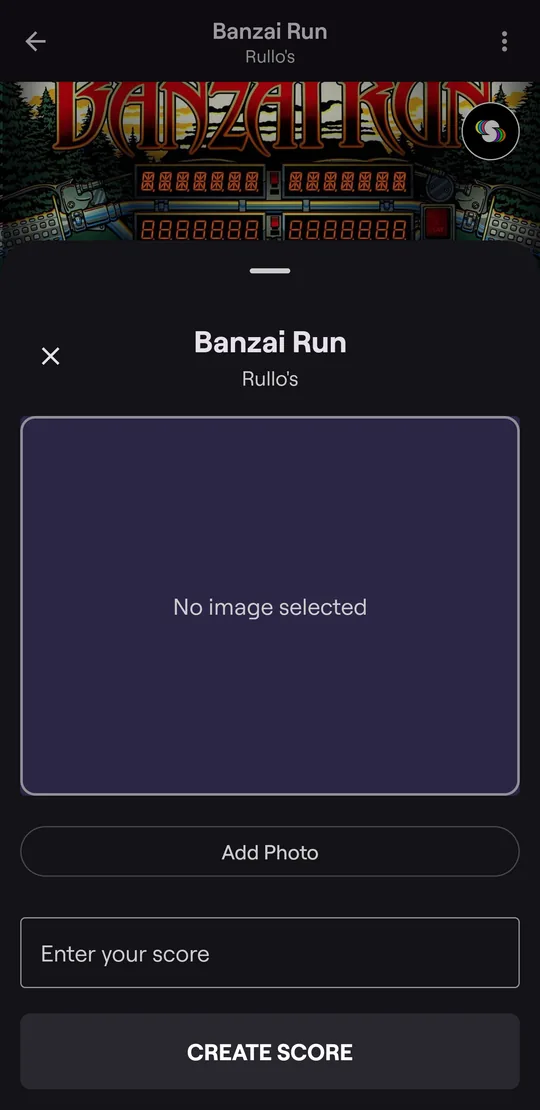
Example: log a high score on a non-Scorbit machine
- Find the machine through the Map or search, or tap Record a score next to the tabs and pick the machine. Near a machine with a Scorbit Tap Pad, that button shows Tap to Play instead.
- Tap RECORD A SCORE. The machine page shows this button only when the machine isn't Scorbit-enabled or isn't connected right now. Otherwise it shows TAP TO PLAY, PLAY A GAME, or VIEW GAME while a game is on: see Play a Game.
- Tap Add Photo and take a picture of the machine's score display.
- Enter your score and tap CREATE SCORE.
The score is added to your profile and the machine's leaderboard, with your photo attached.
Tip
On a Scorbit-enabled machine that's connected, you don't need to do this: Tap In instead, and your score is captured automatically. If it's offline, its page shows RECORD A SCORE, so record your score by hand.