Find a Machine
Example: find pinball near you
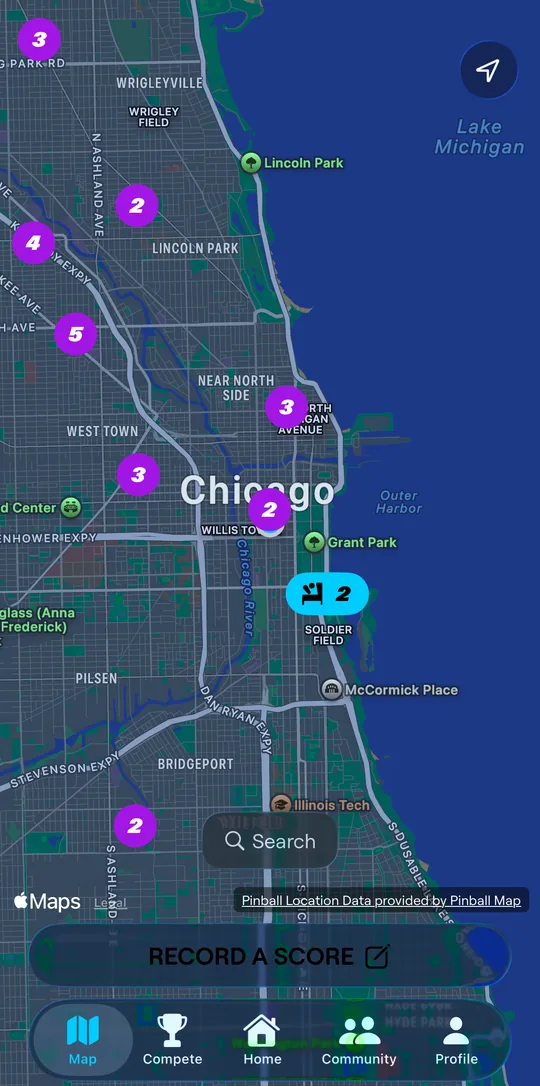
- Open the Map tab. Venues with Scorbit machines stand out from the rest. On iPhone, nearby venues group into numbered circles; zoom in to split them up. On Android, each pin shows how many machines the venue has.
- Tap a venue to see its machines.
- Tap the venue card to open its full page.
Venue locations come from Pinball Map. If a venue's details are wrong, use the Visit Pinball Map to update this location link on the venue page.
Example: search for a game
On Home, tap Search for anything. Results are split into Machines, Locations, People, and Competitions. Search for a title like Addams Family to see every nearby machine of that game, or browse by manufacturer.
Venues
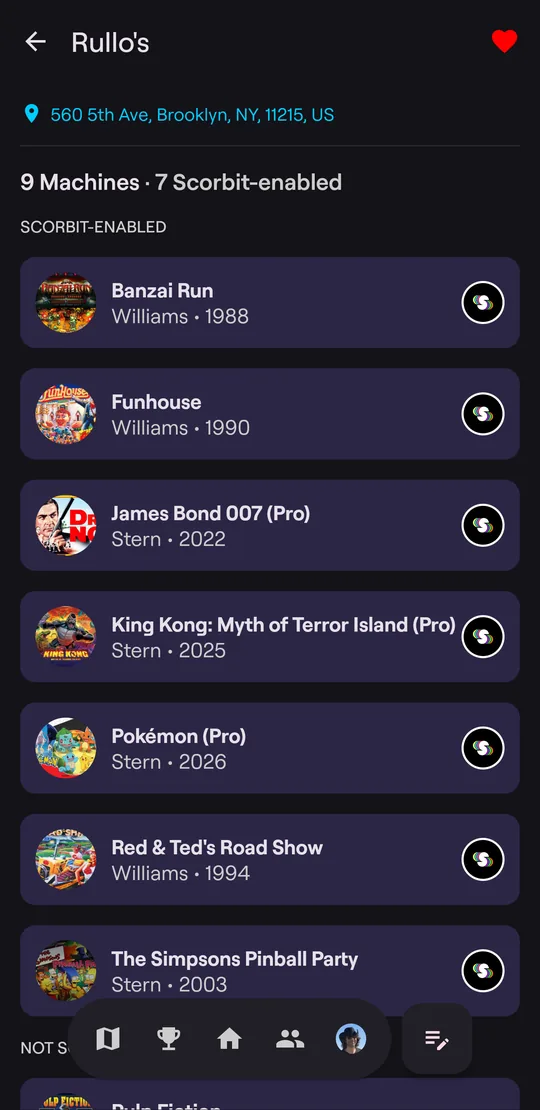
A venue page lists its machines in two groups:
- Scorbit-enabled machines are connected to Scorbit, either through a Scorbitron or, on games like Pulp Fiction, built into the game. Games played on them are scored automatically.
- Not Scorbit-enabled machines aren't. You can still record a score on them.
Tap the heart to add the venue to your favorites. Favorites appear under Your Places on Home and in the Favorites tab of your profile.
Machines
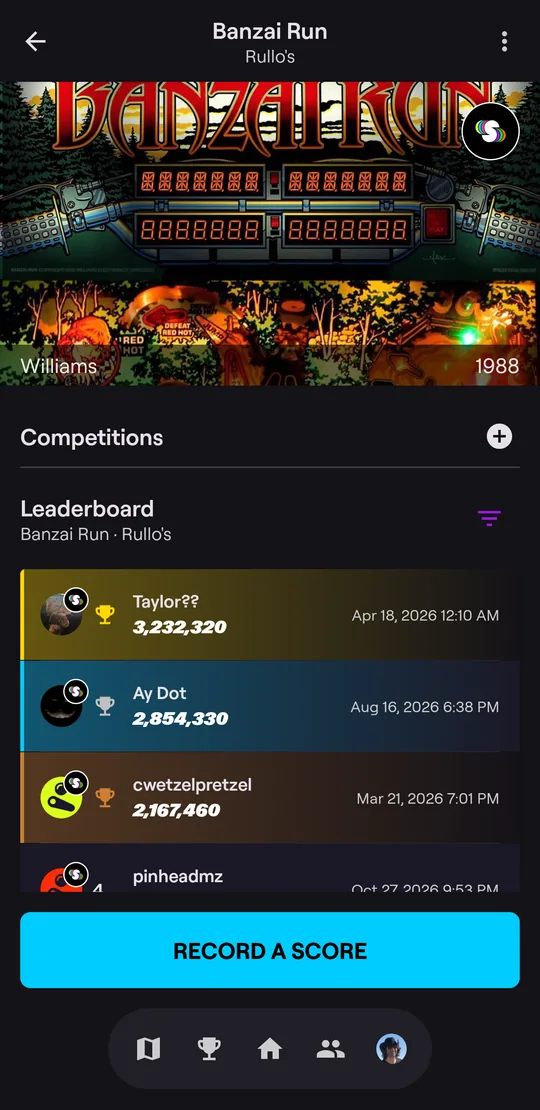
A machine page shows:
- the game's backglass, manufacturer, and year. The Scorbit badge means the machine is Scorbit-enabled;
- Competitions running on this machine, and a + to start a match on it;
- the Leaderboard for this machine. Tap the filter icon to switch game variants;
- the main button, which depends on the machine:
- Tap to Play: the machine is connected to Scorbit right now and has a Scorbit Tap Pad;
- Play a Game: the machine is connected to Scorbit right now, without a Tap Pad;
- View game: a game is in progress right now. Tap to watch it live;
- Record a Score: the machine isn't Scorbit-enabled, or it is but isn't connected right now.
Tap any player on the leaderboard to see their profile.
Next: Play a Game